
 Agencies
 Services
Reporting Identity Theft Fraud in MyTax
The information below is for employers to report identity theft fraud. If you are an individual and need to report identity theft, please use this form.
If you are aware of one or more of your employees being a victim of identity theft which resulted in a fraudulent unemployment insurance (UI) claim, you may report this to the Illinois Department of Security (IDES) through MyTax.Illinois.gov. This option is only for identity theft fraud and for no other purpose, including other types of suspected UI fraud. You must have spoken with the employee whose identity was fraudulently used to file a UI claim and obtained their permission to submit the report of identity theft to IDES and deny that claim.
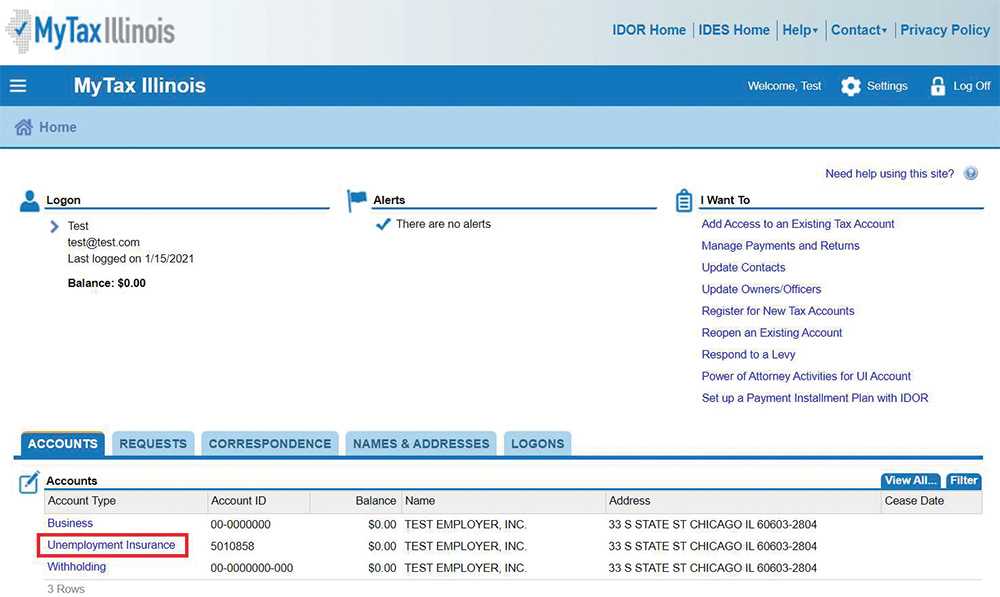
- Visit MyTax.illinois.gov and sign into your account. After logging in, select your Unemployment Insurance account:
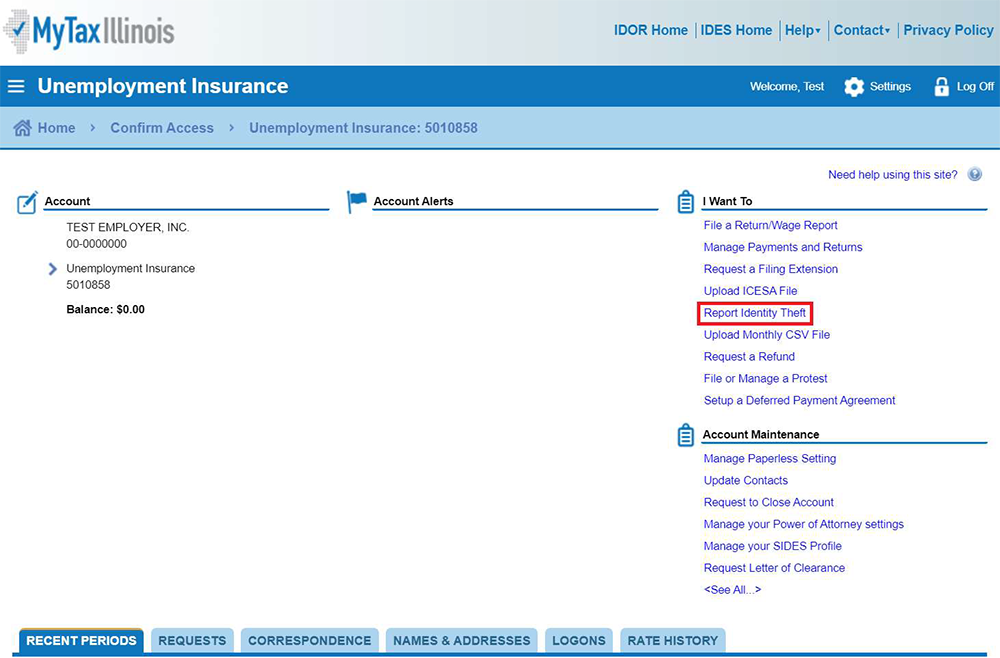
2. On the right-hand side, under the section titled “I Want To”, select Report Identity Theft:
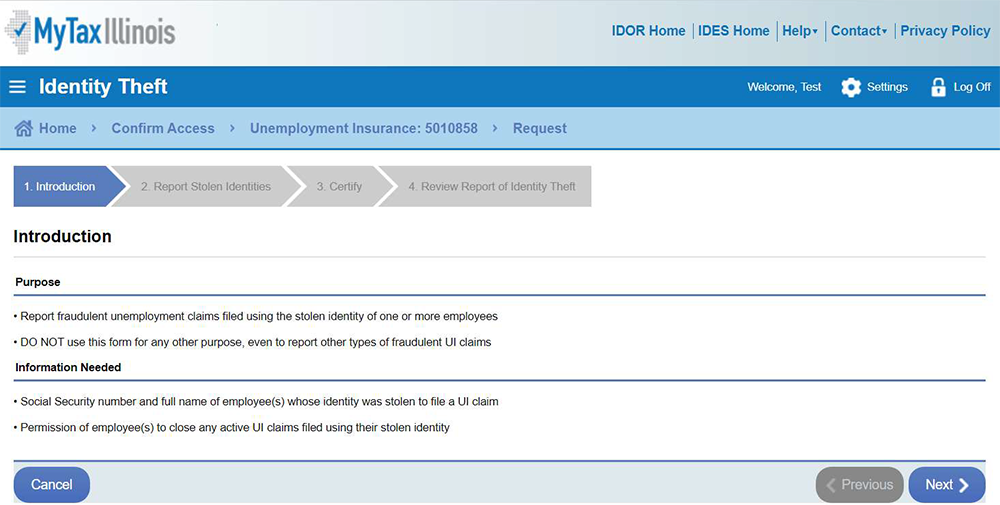
3. Carefully review the Introduction and when finished select the Next button:
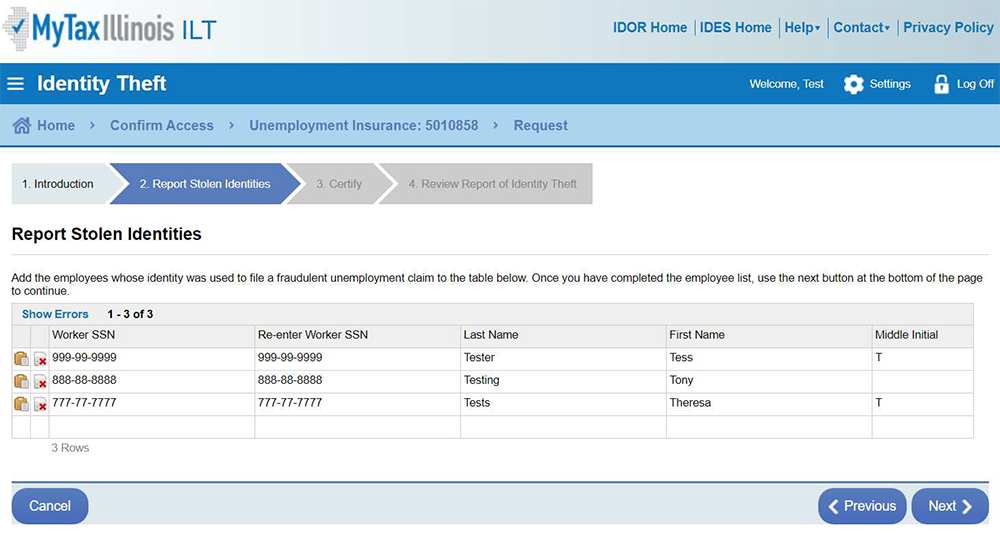
4. Enter the Social Security Number and name of each employee that have had their identities used to file a fraudulent claim. When finished, select the Next button:
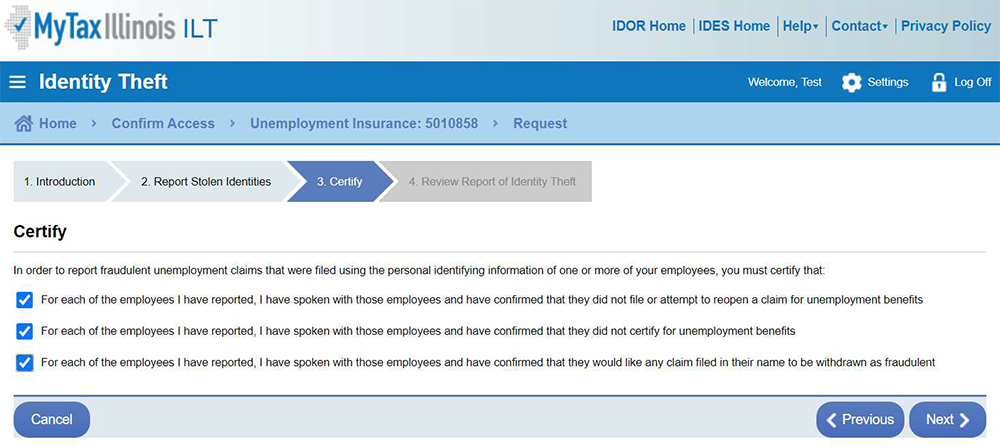
5. Read each of the certifications and if you have met the requirements click the checkbox next to them. When they are all checked, select the Next button:
6. Review your submission. If everything looks correct, electronically sign your report by checking the box next to “I Agree”. Then click the Submit button:
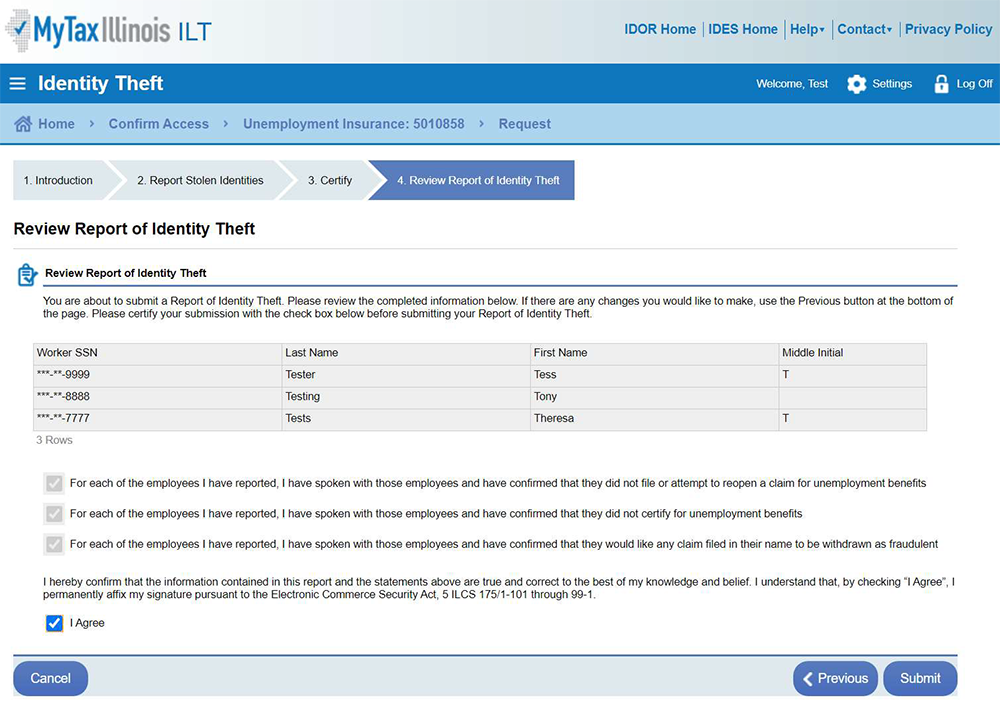
You will be presented with a confirmation screen where you can view and print your request. When a fraudulent claim is denied, a Determination letter will be mailed to the address on record of both the employer and employee.